Browser Configuration #
When using the Dashboards or Wallboards within the user portal, certain browsers may require configuration changes to ensure that the tabs they are open on are not put to sleep when inactive or minimized.
Google Chrome #
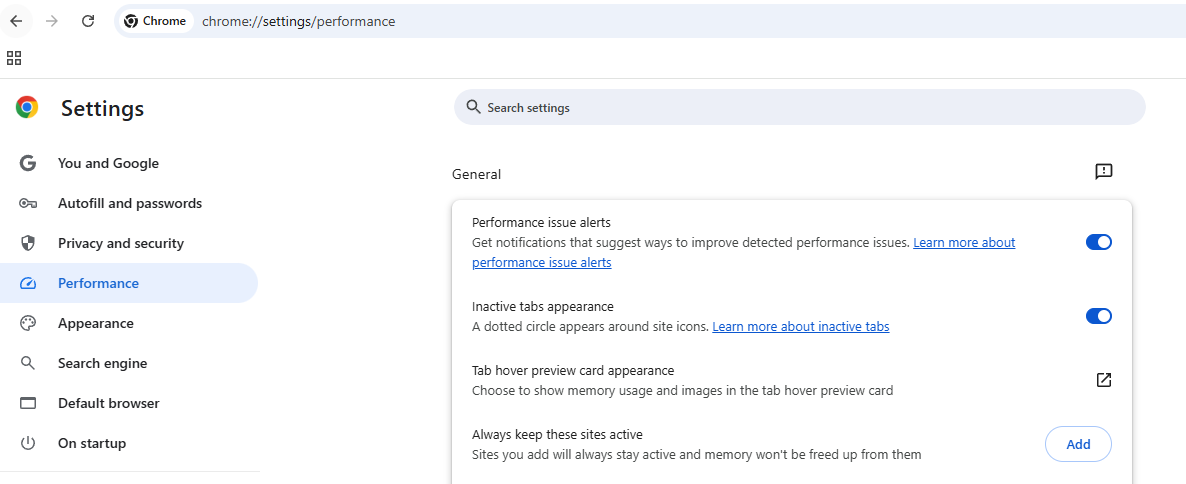
Under the 'Settings/Performance' section, ensure that the ~.Dimensions.~ Url is added to the 'Always keep these sites active' list.
Microsoft Edge #
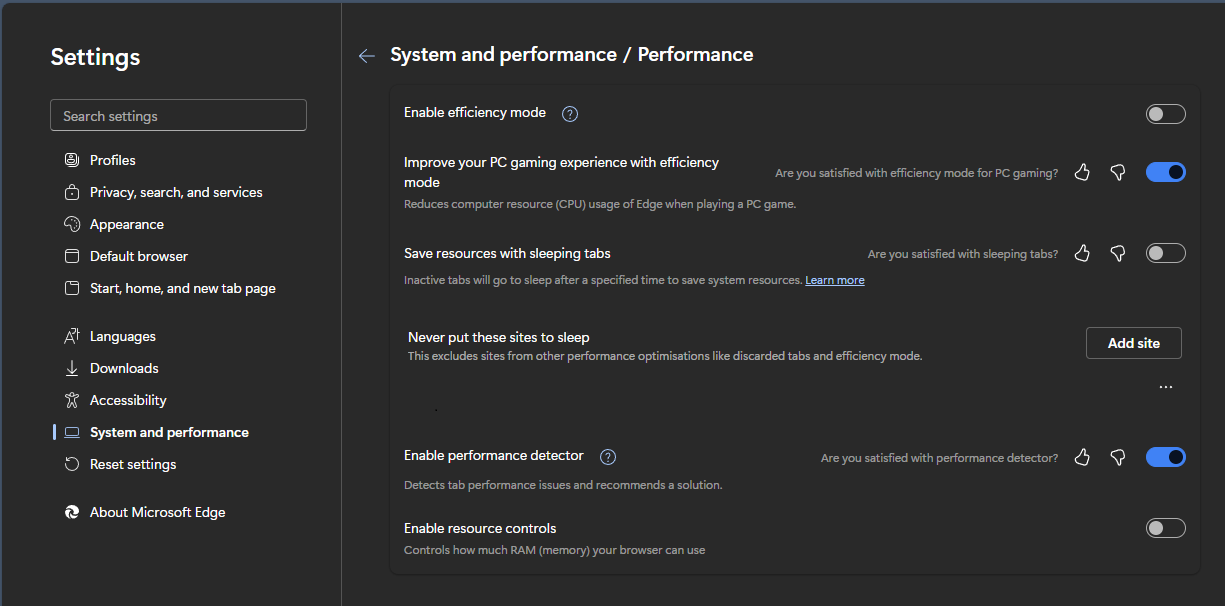
Under the 'Settings/System and Performance' section, ensure that the ~.Dimensions.~ Url is added to the 'Never put these sites to sleep' list.
Mozilla Firefox #
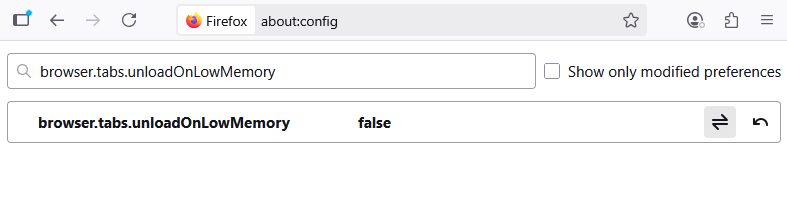
Browse to 'about:config', and search for the 'browser.tabs.unloadOnLowMemory' setting. Toggle this to 'false'.