Horizon #
Recording Portal Usage Details #
~.Dimensions.~ uses the advanced recording portal to download call recordings from Horizon. To do this, it requires a dedicated user account on the advanced recordings portal.
Please follow the instructions below to create a dedicated account for ~.Dimensions.~ to use.
info
~.Dimensions.~ will import a copy of the recordings (for users with Transcription enabled) available when the connection is first added, then check every 15 minutes for new recordings.
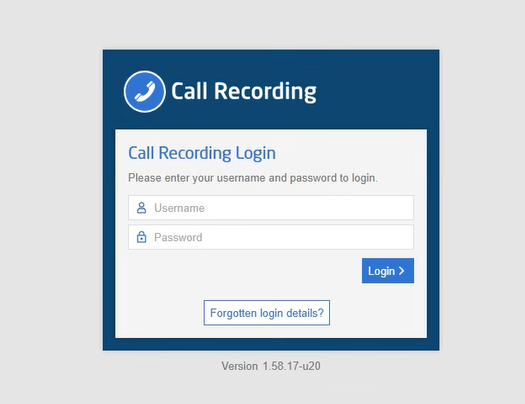
To create a dedicated user account for ~.Dimensions.~, login to the advanced recording portal.
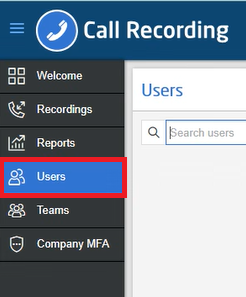
Navigate to the 'Users' section.
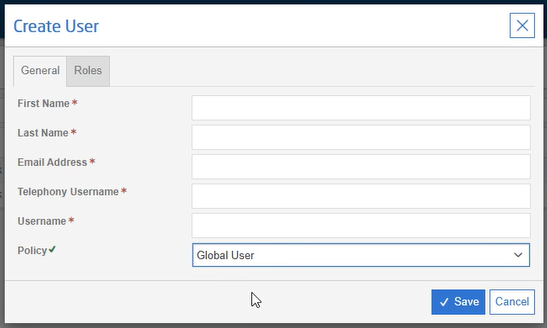
Populate the 'Create User' form with the details for the new user.
info
A valid email address is required to setup the user and configure the password. You can use the '+' email format to have this email come to you. E.g. firstname.lastname+recording@domain.
After creating the user, follow the normal user creation steps to set the password. Once completed, enter the following details into the ~.Dimensions.~ form:
- Username
- Password
- Email Address
- Customer ID
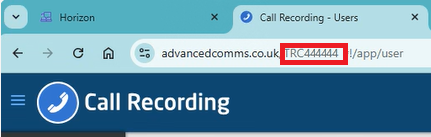
The 'Customer ID' is in the URL of your recording portal address and is in the format 'TRCXXXXXX'.
warning
The user account must be a dedicated account for use by ~.Dimensions.~.
info
The password on the portal will automatically be updated every 30 days by ~.Dimensions.~. This is to ensure that the password does not expire and cause disruption to the connection.